Grandstream

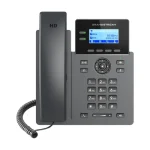
Grandstream GRP2602

$70.00
Product Highlights
  • 5-way audio conferencing for easy team collaboration
  • EHS headset support compatible with Plantronics, Jabra, and Sennheiser
  • Swappable faceplate for easy logo customization
  • AI noise reduction and noise shield technology for distraction-free calls
$70.00
In Stock
Ship From PEERONE DIRECT Sold By PEERONE STORE
Add to Cart

Technical Specifications

Manufacturer Grandstream
Model GRP2602
Protocol SIP RFC3261, TCP/IP/UDP
Number of Lines 2
SIP Accounts 4
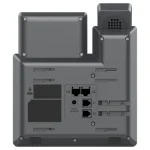
Network Interfaces Dual 10/100 Mbps Ethernet
Screen 2.4-inch (132x48) backlit graphical LCD
Bluetooth None
PoE No
Wi-Fi No
Aux Port RJ9 for EHS support
Dimensions 208 x 180 x 63.4 mm; 670g

About this item

The GRP2602 is an essential carrier-grade IP phone designed for everyday office and remote workers who need reliable, clear communication without complexity. It fits naturally into high-volume deployments across enterprises, call centers, and service providers, offering a straightforward and cost-effective voice solution at scale.

Frequently Asked Questions

Support FAQs Overview

  • Can PeerOne support my call flow customization (IVR, ring groups, voicemail, etc.)?

    Yes. As part of your onboarding, we conduct a workflow planning call where we review your call handling preferences (IVR menus, ring counts, after-hours routing, voicemail behavior, and more). A customized phone workflow diagram is created for your approval before Go-Live.  

  • What happens to my existing phone numbers when switching to PeerOne?

    Your existing numbers can be ported to PeerOne. Once you provide your current provider’s information, we manage the entire process. Your old phones remain active until your scheduled Go-Live date, meaning there’s no interruption during the transition. 

  • What should I do if my phones stop working after installation?

    If phones show no dial tone or lose connectivity, follow these quick checks:

    • Ensure the device is connected to the correct network port (LAN, not PC port).
    • Verify the switch/router has power and internet is active.
    • Confirm your phone is receiving PoE power or that the power adapter is connected.
    • Restart your phone or router if possible.

    If the issue continues, contact PeerOne Support we will assist immediately and remotely diagnose the issue. 

  • How long does the VoIP onboarding process take?

    Our onboarding process typically takes 1–2 weeks, depending on how quickly your current provider responds to the number porting request. While we work on porting, we also coordinate your Go-Live date, complete workflow planning, and begin pre-staging your phones to ensure a smooth transition. 

  • Do I need new equipment to use PeerOne?

    Most businesses will use SIP-based VoIP desk phones, mobile apps, or softphones. We supply reliable business phones from Grandstream and Poly, and our team handles pre-staging to ensure everything is configured correctly before activation. If you prefer to use your existing equipment, we can confirm compatibility during setup. 

Schedule Appointment

Fill out the form below, and we will be in touch shortly.

Contact Information
Phone System Details
Your Preference